


Many Common Tor Browser Errors
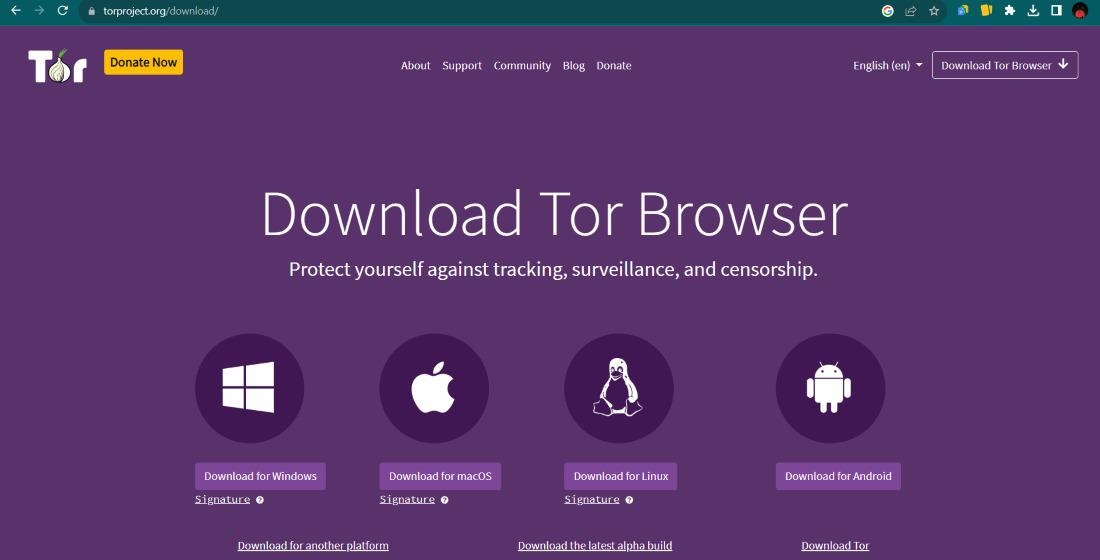
Did you know that over 2 million people use the Tor network every single day but a significant portion of them encounter a "failed to connect" screen at least once a week? It is a frustrating wall to hit when you are just trying to browse the web with a little bit of privacy. Many of the time, these errors are not because the software is broken but because the delicate handshake between your computer and the volunteer run relays is interrupted.
You might see a progress bar that simply stops moving or a cryptic message about a "Bootstrap" failure - these issues happen for multiple reasons, ranging from a clock that is off by a few minutes to an aggressive firewall on your home router. Understanding these quirks is the first step toward a more reliable experience on the decentralized web.
Understanding Why Your Tor Browser Might Fail to Connect
The Tor Browser is unique because it does not connect you directly to a website. It builds a path through three different layers of servers located all over the world. Because of this complexity, any small hiccup in your local network or the global internet can cause a timeout. If your connection feels sluggish or fails to start, it is often because of a temporary node failure or a local configuration mistake.
Many people find that their browser gets stuck right at the beginning of the process. If you find your Tor Browser stuck on connecting, the issue is frequently related to the way your ISP handles encrypted traffic. Some internet service providers monitor for the specific signature of Tor traffic and try to slow it down or stop it entirely - this is why the initial "handshake" is the most common point of failure for new users.
Addressing Common Bootstrap & Loading Errors
A "Bootstrap" error is just a fancy way of saying the browser is having trouble introducing itself to the network. Think of it like trying to join a private conversation - if you don't know the password or the door is locked, you stay outside. Many bootstrap errors are at 5 %, 10 % or 85 %. Each stage represents a different part of the circuit building process.
To fix the, you can often just restart the process or check your logs. The logs are very helpful because they tell you exactly which relay is not responding. Simply clicking "New Identity" or "New Circuit" clears out the stale data that is causing the hang up - those are a few things to check when the loading bar freezes
- Ensure your internet cable is plugged in or your Wi-Fi is active.
- Check if your antivirus is blocking the Tor executable file.
- Restart the application to clear the temporary cache.
- Verify that you are using the most recent version of the software.
How to Navigate Network Restrictions & Censorship
In some parts of the world or even in certain workplaces, the standard way of connecting to Tor is blocked - this is where "Bridges" come into play. Bridges are private relays that are not listed in the public directory, making them much harder for filters to find and block. They act as secret tunnels that get you into the network without alerting the person managing the router.
Using working Tor bridges is the most effective way to bypass these digital walls. You can request these directly within the browser settings. Once you enter the bridge addresses, the browser "disguises" its traffic as regular web traffic or random data, which usually allows it to slip past censorship tools unnoticed. It is a reliable method for staying connected regardless of your physical location.
Fixing Software & System Time Conflicts
One of the strangest but most common errors is caused by your computer's clock. Tor relies heavily on certificates and timestamps to ensure that the relays you are talking to are legitimate. If your system time is off by more than a few minutes, the browser will assume the connection is a security risk and shut it down. Always make sure your date and time are set to update automatically.
Additionally, other security tools can sometimes interfere with how Tor handles data. If you use a VPN or a proxy alongside Tor, they can sometimes clash. While some individuals prefer extra layers, it is often better to use a simple, privacy focused tool like DuckDuckGo for your daily searches to keep things straightforward before jumping into more complex setups. Keeping your software environment clean reduces the number of technical errors you will face.
Maintaining Secure & Reliable Access to the Onion Network
Once you are connected, the goal is to stay safe and find the information you need. The "Onion" part of the web is full of various directories and forums but links change frequently. It is a good habit to use verified search tools like Ahmia or Not Evil to find what you are looking for without clicking on broken or dangerous links.
Reliability is key when you are participating in online communities. As an example, if you are looking for discussions on a Dread forum official link, you need to ensure your connection is stable so you don't get logged out mid sentence. Frequent errors are not just annoying - they can interrupt the way you interact with the platforms. By following these steps, you keep your connection strong and your private browsing session productive.
Remember that the Tor network is a community project - Sometimes, nodes go down or the network is under heavy load. If you have tried all the technical fixes and it still isn't working, wait an hour and try again. Patience is often the best tool for navigating the decentralized web. You can find more resources and onion links to help you explore once your connection is back up and running.
FAQ
Why does my Tor Browser take so long to open?
The browser is building a circuit through three different global servers - this process requires multiple handshakes and encryption steps, which naturally takes more time than a standard browser connection.
Is it safe to use Tor without a VPN?
Yes, the browser is designed to be a standalone tool for privacy. While some people use a VPN for additional masking, it is not required for the basic functionality of the Tor network.
What should I do if my bridges stop working?
Bridges can sometimes be discovered and blocked - If your current bridge fails, you should go back into your settings and request a new set of bridge addresses to restore your access.
Can I use Tor for normal websites like news or email?
Absolutely - Many major news organizations and email providers even have their own "onion" versions of their sites to help people access information in restricted areas.

 English
 Arabic
 French
 Spanish
 Deutsch
 Turkish
 Dutch
Dutch
 Italiano
 Russian
 Romaian
 Portuguese (Brazil)
 Greek
Greek
