


EZCAD3: How Does This Laser Marking Software Improve Precision and Workflow?
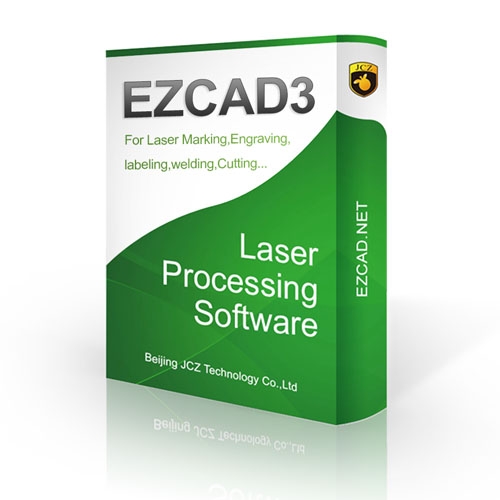
Laser marking technology has become an important part of modern manufacturing, product identification, customization, and industrial processing. Behind many efficient laser marking systems is specialized software that controls how the laser interacts with a material. ezcad3 is one such software solution, developed for laser marking and engraving applications where accurate control, organized workflows, and reliable processing are essential.
Designed for use with compatible laser marking systems, ezcad3 provides an environment where operators can prepare designs, configure marking parameters, manage objects, and send jobs to the laser. Its interface and workflow are intended to support both everyday production work and more detailed marking requirements.
Whether the task involves text, numbers, logos, barcodes, QR codes, patterns, or other graphical elements, understanding how ezcad3 works can help users make better use of their laser equipment. The software is particularly relevant to businesses working with metal products, industrial components, tools, electronic parts, promotional items, and customized products.
What Is EZCAD3?
ezcad3 is laser control and marking software used with compatible laser marking machines. It acts as an interface between the operator and the laser system, allowing a design to be prepared and marking instructions to be configured before processing begins.
The software works with supported laser controllers and marking equipment, providing tools for creating or importing artwork and setting the parameters required for a particular job. Instead of controlling the laser manually, the operator can organize the complete marking task through the software environment.
This makes software an important part of a laser marking setup. The quality of the final result depends not only on the laser source and mechanical system but also on how accurately the marking job is prepared and configured.
How EZCAD3 Fits Into a Laser Marking Workflow
A typical laser marking process begins with preparing the artwork. The operator can create text, shapes, or other elements within the software or import suitable designs from supported formats.
After the artwork is prepared, the operator can position and arrange the elements according to the required marking area. Text may include product names, serial numbers, model information, dates, or other identification details.
The next stage involves configuring the marking parameters. Depending on the machine and material, the operator may need to adjust settings such as laser power, marking speed, frequency, and other available parameters.
The design can then be previewed and positioned before the actual marking process starts. This workflow helps reduce unnecessary material usage and allows operators to check the placement of the design before running the final job.
Working With Text and Graphics
Text is one of the most common requirements in industrial laser marking. Manufacturers frequently need to place serial numbers, model numbers, company names, production codes, or other information directly onto products.
With ezcad3, operators can work with text objects and arrange them within the marking workspace. Different text elements can be organized according to the requirements of the product.
Graphics are also important for laser engraving and marking. Logos, symbols, line drawings, and other artwork can be prepared for processing. For businesses producing branded components or customized products, combining text and graphics in one marking job can create a consistent appearance across production batches.
The ability to organize multiple objects within a design is especially useful when a single product requires several different types of information.
Barcodes and QR Codes
Product identification has become increasingly important across manufacturing and logistics. Barcodes and QR codes can provide machine-readable information while also allowing businesses to track products and components.
Laser marking software can be used to prepare these codes for permanent marking on compatible materials. Depending on the supported functions and controller configuration, ezcad3 can be incorporated into workflows where variable identification information needs to be placed on individual products.
For example, a production line may require different serial numbers for each component. A properly configured marking workflow can help operators handle this type of information more efficiently.
Parameter Configuration for Different Materials
Every material reacts differently to laser energy. Stainless steel, aluminum, brass, plastics, coated surfaces, and other materials may require different marking conditions.
For this reason, parameter configuration is an important part of working with ezcad3. Operators need to understand how the available settings affect the final marking result.
Power controls the amount of laser energy delivered to the workpiece, while speed determines how quickly the laser moves across the marking path. Frequency and other parameters can also influence the appearance and depth of the mark.
There is no universal setting that works perfectly for every material and machine. Operators normally test and refine settings according to the laser source, lens, material, and desired marking effect.
Supporting Production Applications
In a production environment, consistency is an important consideration. When many identical products need to be marked, operators can prepare a suitable design and use it repeatedly while changing variable information when required.
Businesses can also maintain different design files for different product models. Proper file organization makes it easier for operators to locate the correct marking job and reduce confusion during production.
Using EZCAD3 for Industrial Identification
Permanent product identification is one of the major applications of laser marking. Traditional labels can become damaged, removed, or difficult to maintain in demanding environments. Laser marking creates identification directly on the surface of a compatible workpiece.
Manufacturers may mark serial numbers, batch codes, manufacturing dates, company logos, specifications, or traceability information.
When ezcad3 is used as part of a compatible laser marking system, these details can be arranged and processed through a controlled digital workflow. This is useful for businesses that require repeatable identification across large numbers of components.
Design Preparation and Positioning
Accurate positioning is essential when marking products with limited available space. An operator needs to ensure that the artwork fits within the intended area and is aligned correctly.
The software workspace provides a visual environment for arranging objects before processing. Operators can work with different elements and position them according to the dimensions of the product.
For customized products, this preparation stage can also be used to create different layouts for different customer requirements.
Learning to Use EZCAD3
New operators should begin by becoming familiar with the software interface and basic workflow. Understanding how to create objects, import artwork, position designs, configure marking parameters, and start a job provides a foundation for more advanced applications.
Practice should ideally be performed on suitable test materials before production parts are processed. This allows operators to observe how parameter changes affect the marking result.
It is also important to follow the instructions supplied with the specific laser machine and controller. Software functionality can depend on the hardware configuration, controller, laser source, and other components of the system.
Choosing Compatible Laser Equipment
Software is only one part of a laser marking system. Businesses should consider compatibility between the software, controller, laser source, scanning system, lens, and machine structure before purchasing or configuring equipment.
A suitable setup depends on the intended application. A manufacturer marking stainless-steel components may have different requirements from a business engraving jewelry, electronics, tools, or promotional products.
EZCAD3 in Modern Manufacturing
As manufacturing becomes increasingly digital, software-controlled laser processing continues to play an important role. Digital designs can be prepared, stored, modified, and reused, helping businesses manage different marking requirements.
ezcad3 fits into this environment by providing a software-based workflow for compatible laser marking systems. From basic text engraving to more detailed industrial identification, the software can be part of a production process where accurate digital control is required.
Final Thoughts
ezcad3 is an important software option for compatible laser marking systems, providing an organized environment for preparing designs, configuring marking jobs, and controlling laser processing. Its applications can range from simple text and logo marking to industrial identification, serial numbering, barcodes, QR codes, and customized engraving.

 Arabic
 French
 Spanish
 Portuguese
 Deutsch
 Turkish
 Dutch
Dutch
 Italiano
 Russian
 Romaian
 Portuguese (Brazil)
 Greek
Greek
