


cPanel and Plesk Licensing on Managed VPS: Is a Bundled Control Panel Worth the Cost?
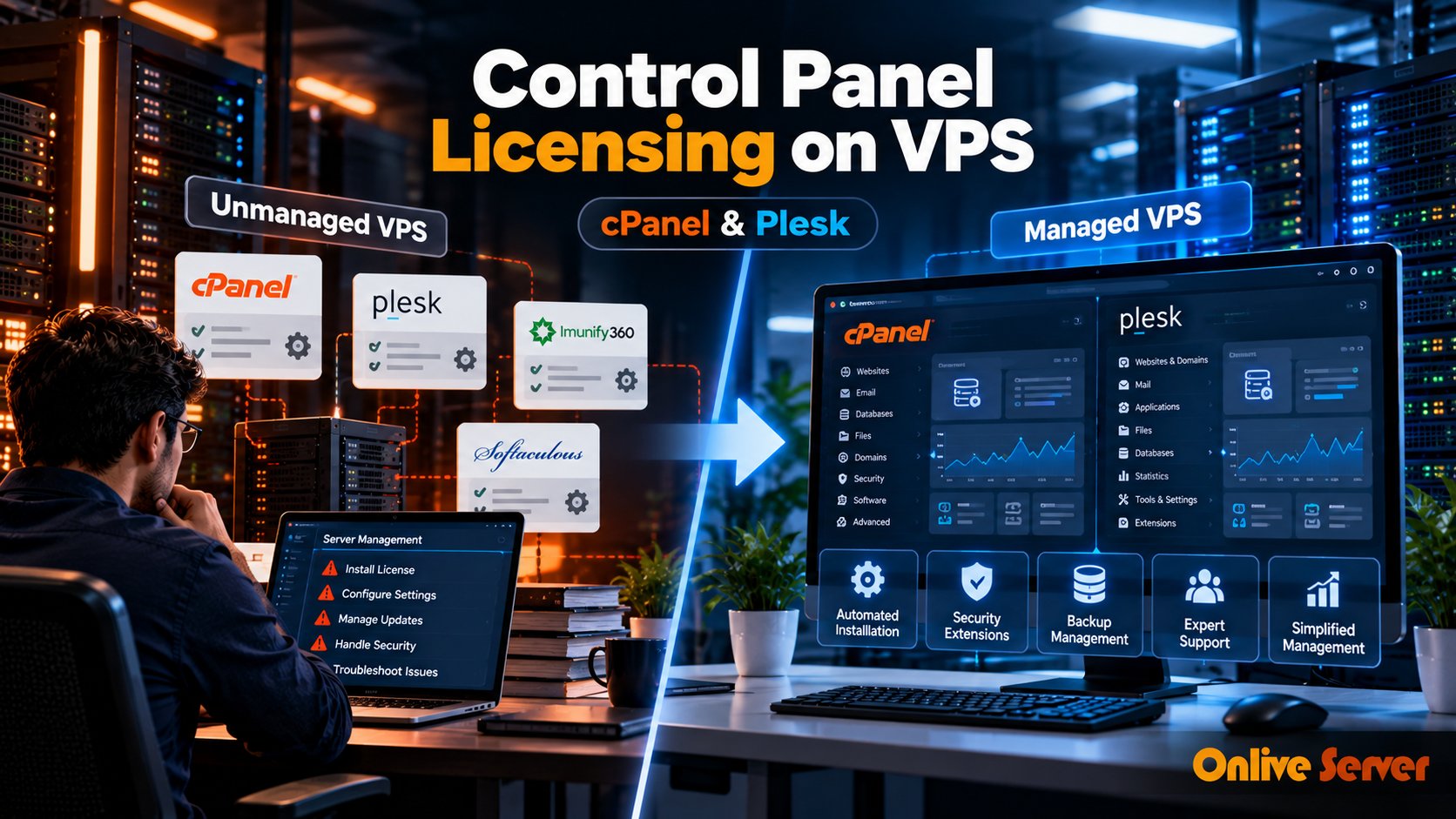
A VPS plan looks affordable until you start adding the software needed to manage it.
You may need cPanel to create hosting accounts, Plesk to manage client websites, a backup solution, and additional security tools. Some hosting providers charge separately for these services. Others offer packages that include selected software licenses and server administration.
This creates an important question for website owners and agencies: Is it cheaper to purchase an unmanaged VPS with separate control panel licenses or choose a managed VPS with the required tools included?
The answer depends on the control panel edition, number of hosting accounts, support coverage, and additional software requirements.
A bundled package can offer better value, but only when it includes tools you actually need.
Why Control Panel Licensing Changes the Cost of VPS Hosting
A virtual private server provides computing resources such as CPU, RAM, storage, and network connectivity.
However, the server does not automatically include every commercial application needed to operate a hosting business.
For example, an unmanaged Linux VPS can run websites through Apache or Nginx without a paid control panel.
But managing multiple client accounts, email services, databases, and DNS settings manually requires technical knowledge.
Commercial control panels simplify these tasks through a graphical interface.
The convenience comes with licensing requirements.
What Does a Control Panel Actually Do?
A hosting control panel helps administrators manage websites and server-related services without entering commands for every task.
Common functions include:
-
Creating websites and hosting accounts
-
Managing domains and DNS records
-
Configuring email accounts
-
Creating databases
-
Installing SSL certificates
-
Managing files and backups
These features can reduce repetitive administration, particularly for agencies managing several websites.
However, a control panel does not eliminate the need for server maintenance, security updates, or troubleshooting.
Understanding cPanel and WHM Licensing
cPanel and WHM work together but serve different purposes.
WHM provides server-level administration and hosting account management.
cPanel provides an interface for individual hosting account users to manage websites, email, files, and databases.
For agencies and hosting businesses, the distinction matters because cPanel licensing is based on account tiers.
cPanel Solo, Admin, Pro, and Premier
cPanel offers different licensing tiers for cloud and VPS environments.
Solo is intended for a single hosting account.
Admin supports a small number of accounts, while Pro allows more accounts for growing agencies.
Premier is designed for larger hosting environments and supports additional accounts under its licensing structure.
The important detail is that a cPanel account is not necessarily the same as a website.
An agency may host several domains within an account, depending on its configuration, but separate client accounts can affect the required license tier.
Before purchasing, estimate how many independent hosting accounts you need rather than counting only domain names.
Why Account Growth Matters
Imagine a freelancer beginning with a personal website.
A smaller license may be sufficient.
Later, the freelancer starts hosting websites for clients who need separate logins and account isolation.
The original license tier may no longer meet those requirements.
Upgrading the license increases software costs even if the underlying VPS resources remain unchanged.
This is why agencies should consider expected account growth when comparing hosting packages.
How Plesk Licensing Works Differently
Plesk is another commercial hosting control panel used for website and server administration.
It supports different operating-system environments, subject to the selected edition and compatibility requirements.
Unlike cPanel's account-focused licensing model, Plesk editions are commonly differentiated by domain limits and management capabilities.
Plesk Web Admin Edition
Web Admin is designed for users who manage a smaller collection of websites.
It provides essential website and server administration features without the broader service-provider capabilities of higher editions.
It can be suitable for businesses managing their own websites rather than offering hosting services to customers.
Plesk Web Pro Edition
Web Pro is aimed at developers and web professionals managing multiple projects.
It provides additional website management capabilities, including broader WordPress management functionality.
This can be useful for freelancers and agencies that maintain several customer websites.
Plesk Web Host Edition
Web Host is designed for hosting providers and businesses that need more extensive customer and reseller management.
It supports a larger hosting operation with additional service-provider features.
Choosing a higher edition simply because it offers more tools is not always worthwhile.
The better approach is to select the edition that matches your actual hosting requirements.
What Does a Managed VPS Control Panel Bundle Include?
A managed VPS package may combine server resources, control panel licensing, and technical support.
However, providers use the term managed differently.
Some plans include the control panel license in the advertised monthly fee.
Others include installation and configuration support but charge separately for the software license.
A third arrangement may provide server management while allowing customers to choose their own licensed panel.
Check the License Before Comparing Prices
When evaluating a bundled offer, confirm the exact control panel edition.
Ask whether the license is included throughout the subscription or only during an introductory period.
Also check whether upgrades, additional accounts, or optional extensions create extra charges.
A package described as cPanel-enabled does not necessarily include a paid cPanel license.
Check What Technical Support Covers
Software licensing and server management are separate services.
A valid cPanel license gives access to the software, but it does not automatically mean your hosting provider will troubleshoot every server problem.
Managed support may include panel installation, account migration, DNS configuration, web server troubleshooting, and security maintenance.
Onlive Server explains these administration tasks in its WHM and cPanel support guide.
The scope of assistance should always be confirmed against the selected hosting plan.
Additional Software That Can Affect the Monthly Bill
The control panel may be only part of the software expense.
Depending on the application and hosting requirements, administrators may consider additional tools.
Softaculous for Application Installation
Softaculous provides automated installation and management tools for supported web applications.
It can simplify tasks such as installing WordPress and other popular website software.
Some hosting packages include Softaculous, while others require a separate license.
Check whether it is included before adding it to your cost comparison.
Imunify360 for Server Security
Imunify360 provides security capabilities designed for hosting environments, including malware detection and other protective features.
Its licensing and deployment requirements depend on the product and environment.
It should not be assumed to be included with every cPanel or Plesk installation.
Security tools also complement rather than replace patching, access controls, backups, and proper server configuration.
Backup and Recovery Tools
Some control panels include backup functionality.
However, businesses may need additional capabilities such as off-server storage, retention policies, or managed restoration assistance.
A backup feature is useful only when the recovery process has been tested.
When comparing hosting offers, check whether backup storage, scheduling, and restoration support are included or charged separately.
Managed vs Unmanaged VPS: Comparing the Total Cost
The simplest way to compare hosting options is to evaluate the complete service rather than the advertised VPS price.
| Cost or responsibility | Unmanaged VPS | Managed VPS |
|---|---|---|
| VPS infrastructure | Usually included | Usually included |
| cPanel or Plesk license | May be separate | May be bundled or separate |
| Security extensions | Usually customer-selected | Depends on package |
| Backup tools | Customer-managed | Depends on package |
| Server updates | Customer responsibility | May be provider-managed |
| Technical troubleshooting | Customer or hired administrator | Covered within agreed support scope |
A managed VPS is not automatically cheaper.
An unmanaged VPS may remain more economical for someone comfortable managing Linux and using only essential software.
But an agency purchasing several commercial tools and paying separately for administration should compare those combined expenses against a managed package.
A Practical Cost Comparison
Start by requesting a complete quotation for both options.
For unmanaged hosting, include the VPS fee, required control panel edition, security extensions, backup services, and any paid technical assistance.
For managed hosting, include the VPS fee, bundled licenses, optional software, account upgrades, and support limitations.
Then compare what each package actually provides.
The cheapest invoice may not offer the lowest overall operating cost if routine server administration requires additional paid work.
When Bundled Control Panel Hosting Makes Sense
Bundled licensing can be useful for web agencies managing several client accounts.
It may simplify billing and reduce the number of separate software subscriptions.
Small businesses without a dedicated system administrator may also benefit from having panel support and server maintenance available through the same provider.
However, bundling is less valuable when it includes unnecessary software.
For example, a developer running a single application through SSH may not need cPanel or Plesk at all.
Similarly, a business already using an effective open-source control panel may have little reason to purchase a commercial alternative.
Questions to Ask Before Purchasing
Before choosing a managed VPS with bundled control panel software, ask the provider:
-
Which cPanel or Plesk edition is included?
-
Is the license part of the recurring price?
-
What happens when account or domain limits are reached?
-
Are Softaculous and security extensions included?
-
Who handles control panel updates and troubleshooting?
-
Does the package include backup restoration assistance?
-
Can existing websites and hosting accounts be migrated?
These questions help avoid unexpected charges and unclear responsibilities.
They also make it easier to compare providers offering different combinations of software and support.
Conclusion: Compare the Complete Hosting Package
The cost of VPS hosting goes beyond CPU, memory, and storage.
Commercial control panels, security extensions, backup tools, and administration services can all affect the final bill.
cPanel and Plesk offer useful website management features, but their licensing models serve different hosting requirements.
For some businesses, an unmanaged VPS with separately purchased software is the most practical option.
For others, managed hosting with bundled licenses and clearly defined technical support may offer better overall value.
The right decision comes from comparing the software you need, the responsibilities you can handle, and the total recurring cost not simply choosing the plan with the lowest advertised price.

 Arabic
 French
 Spanish
 Portuguese
 Deutsch
 Turkish
 Dutch
 Italiano
 Russian
 Romaian
 Portuguese (Brazil)
 Greek