


How to Tell If Your Phone Has a Virus or Malware
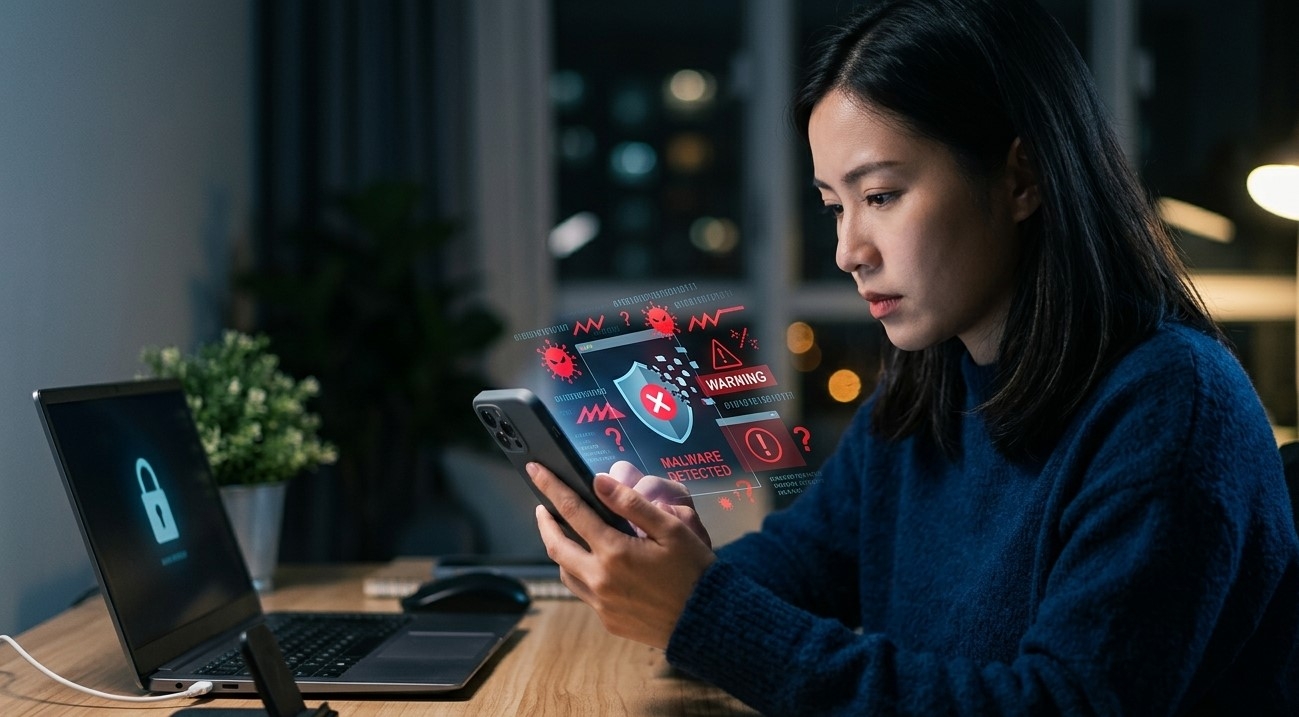
Smartphones store a large amount of important information. From photos and messages to online accounts, financial apps, work documents, and personal data, your phone can contain information you use every day. Because smartphones are connected to the internet and allow users to install applications, they can also face security risks, including malicious software commonly known as malware.
If your phone suddenly starts acting differently, you may wonder whether it has a virus. The device may become slow, show unexpected advertisements, drain the battery quickly, overheat, or install unfamiliar apps. However, it is important to understand that these symptoms do not always mean your phone has malware. A weak battery, outdated software, limited storage, or a problematic app can create similar issues.
For customers searching for Cell Phone Repair in Douglasville, GA, understanding the warning signs of malware can help you take action before the problem becomes more serious. Mobile Device Techs assists customers with a range of smartphone and tablet concerns, including performance problems, software-related issues, screen damage, battery concerns, charging difficulties, and other device problems.
Whether you need iPhone repair in Douglasville, GA, Samsung Phone Repair Douglasville, GA, or Samsung Tablet Repair in Douglasville, GA, this guide explains the common signs that may indicate malware and the steps you can take to protect your smartphone.
What Is Malware?
Malware is a general term used to describe software designed to cause unwanted or harmful behavior.
Depending on the type of threat, malicious software may attempt to:
- Display unwanted advertisements
- Collect information
- Interfere with normal phone performance
- Redirect web browsing
- Install unwanted applications
- Access accounts or data
- Cause other unauthorized activity
The term “virus” is often used to describe many types of malicious software, but not every security problem is technically a traditional computer virus.
For most smartphone users, the important point is recognizing unusual behavior and responding safely.
1. Your Phone Has Suddenly Become Very Slow
A sudden and significant drop in performance can be one possible warning sign.
Your phone may:
- Take longer to open apps
- Freeze frequently
- Respond slowly
- Restart unexpectedly
However, slow performance does not automatically mean malware.
Other possible causes include:
- Low available storage
- Too many demanding apps
- Outdated software
- Overheating
- An aging battery
- A temporary system problem
If the slowdown is combined with unfamiliar apps, unwanted advertisements, or other suspicious activity, malware may be more likely.
2. You See Pop-Ups When You Are Not Using a Browser
Unexpected pop-up advertisements can be a warning sign.
Be especially cautious if advertisements appear:
- On your home screen
- While using unrelated apps
- Immediately after unlocking the phone
- Repeatedly without an obvious source
Some apps display advertisements as part of their normal design. However, aggressive or unexpected ads appearing outside the original app may indicate an unwanted application or another security problem.
Do not automatically tap advertisements claiming that your phone has a virus.
These messages may themselves be part of a scam.
3. You Notice Apps You Did Not Install
An unfamiliar application on your phone deserves attention.
Review your installed apps and look for software that you do not recognize.
Consider whether:
- You installed the app yourself.
- The app came with the phone.
- Someone else with access to the phone installed it.
- The app appeared after downloading another application.
If you find an unfamiliar app, do not immediately enter personal information into it.
Review the app carefully and remove it if you determine that it is unwanted and removal is appropriate.
4. Your Battery Drains Much Faster Than Normal
Malicious or unwanted software may run in the background and use battery power.
You may notice that your battery suddenly drains much faster than usual.
However, battery problems can also be caused by:
- An aging battery
- Background apps
- Bright screen settings
- Poor signal conditions
- Software problems
- Excessive heat
Check which apps are using the most battery power.
If an unfamiliar or suspicious app is consuming a large amount of power, investigate further.
5. Your Phone Is Overheating Without an Obvious Reason
Smartphones can become warm during normal activities such as gaming, charging, video recording, or navigation.
However, unexplained overheating may be worth investigating.
For example, your phone may become hot while:
- Sitting unused
- Performing a simple task
- Running no demanding applications
A malicious background process could be one possible explanation, but overheating can also be caused by a battery or hardware problem.
If the phone becomes extremely hot, stop using demanding apps and allow it to cool naturally.
Do not place an overheated phone in a refrigerator or freezer.
6. You Experience Unusual Data Usage
Some unwanted applications may use mobile data in the background.
If your data usage suddenly increases, review which apps are using the most data.
Pay attention to applications that:
- You do not recognize
- Use large amounts of data
- Run frequently without your knowledge
High data usage does not always indicate malware. Automatic backups, video streaming, system updates, and cloud services can also consume significant data.
The goal is to identify unexpected changes.
7. Your Browser Redirects You to Strange Websites
If your browser repeatedly redirects you to unfamiliar websites, you may have a security problem.
Possible symptoms include:
- Your homepage changing unexpectedly
- Search results opening strange pages
- Repeated redirects
- Unexpected warning messages
Avoid entering passwords or financial information on unfamiliar websites.
You may also want to review recently installed browser extensions or suspicious apps if your device supports them.
8. You Receive Strange Messages From Your Accounts
Unusual activity involving your accounts can be a serious warning sign.
You may notice:
- Messages you did not send
- Login alerts you do not recognize
- Password reset requests you did not make
- Account activity from unfamiliar devices
These signs do not necessarily prove that your phone has malware.
The problem could involve a compromised online account rather than the phone itself.
However, you should take the situation seriously.
Use a trusted device when possible to review account security and change compromised passwords.
9. Apps Keep Crashing for No Clear Reason
Repeated app crashes can sometimes be caused by malicious software interfering with normal device operation.
However, apps commonly crash for other reasons, including:
- Outdated apps
- Limited storage
- Software glitches
- Compatibility problems
If several apps are crashing alongside other suspicious behavior, investigate the possibility of unwanted software.
10. Your Phone Installs Things Without Your Permission
A smartphone should not normally install random applications without your approval.
If you notice new apps, icons, or other software that you did not intentionally install, review your device carefully.
Also pay attention to unfamiliar notifications requesting unusual permissions.
Do not approve requests for access unless you understand why the application needs that permission.
How to Check Your Phone for Malware
If you believe your phone may have malware, take a calm and systematic approach.
Step 1: Restart Your Phone
A restart can stop temporary processes.
If unusual behavior disappears, the problem may have been temporary.
However, a restart alone does not prove that the security problem is gone.
Step 2: Review Your Installed Apps
Look through the list of installed applications.
Pay special attention to:
- Recently installed apps
- Unfamiliar names
- Apps you do not remember downloading
Remove suspicious or unwanted apps when appropriate.
Step 3: Update Your Phone
Install available security and system updates.
Keeping your operating system current can address known security vulnerabilities and improve stability.
Step 4: Update Your Apps
Make sure important applications are updated through trusted sources.
Step 5: Review App Permissions
Check what access applications have to features such as:
- Camera
- Microphone
- Location
- Contacts
- Storage
If an app requests access that does not appear necessary for its purpose, review whether you still need the app.
Step 6: Clear Suspicious Browser Data
If you are receiving repeated browser redirects or unwanted pop-ups, review your browser settings and remove suspicious website data when appropriate.
Step 7: Run a Trusted Security Scan When Appropriate
Use reputable security tools available through trusted app stores.
Avoid downloading unknown “virus cleaner” applications from random websites.
Some fake security tools are designed to create more problems.
What Should You Do If You Find Malware?
If you believe your phone has malicious software, act carefully.
Disconnect From Sensitive Activity
Avoid entering passwords or financial information until you understand the problem.
Remove Suspicious Apps
Uninstall applications that appear suspicious and that you do not need.
Update the Device
Install available system and security updates.
Change Important Passwords
If you believe an account may have been exposed, change its password using a trusted device if possible.
Use strong, unique passwords for important accounts.
Review Account Security
Check for unfamiliar login activity and active sessions.
Consider Professional Help
If unusual behavior continues, professional diagnosis may be helpful.
For customers searching for Cell Phone Repair in Douglasville, GA, persistent software and performance problems can be evaluated when basic troubleshooting does not solve the issue.
How to Protect Your Phone From Viruses and Malware
Prevention is often easier than dealing with a security problem later.
Download Apps From Trusted Sources
Use official app stores whenever possible.
Avoid downloading unknown apps from suspicious websites.
Keep Your Phone Updated
Install important security and operating system updates.
Be Careful With Links
Avoid opening suspicious links in messages, emails, and social media posts.
Review App Permissions
Only give apps access to information or features when necessary.
Use Strong Account Security
Use unique passwords and enable additional account protection features when available.
Avoid Fake Virus Warnings
Do not immediately trust pop-up messages claiming that your phone is infected.
Many of these messages are designed to create panic.
Can iPhones Get Malware?
iPhones have security protections designed to reduce the risk of malicious software.
However, users can still experience security threats such as:
- Phishing attempts
- Malicious websites
- Compromised accounts
- Unwanted profiles or software
If an iPhone begins behaving unusually, check installed apps, software updates, account activity, and browser behavior.
For customers searching for iPhone repair in Douglasville, GA, persistent device problems can be professionally evaluated when basic troubleshooting does not resolve them.
Can Samsung Phones Get Malware?
Samsung smartphones can also face security risks, particularly when software is downloaded from untrusted sources or users interact with suspicious links.
Keep your device updated and review recently installed apps if unusual behavior appears.
For persistent security or performance problems, Samsung Phone Repair Douglasville, GA may help identify whether the issue is software-related or connected to another device problem.
Can Samsung Tablets Get Malware?
Samsung tablets can also experience unwanted software or suspicious applications.
Regular updates, careful app downloads, and safe browsing habits can help reduce risks.
If unusual performance or software problems continue, customers looking for Samsung Tablet Repair in Douglasville, GA may consider professional assistance.
When Should You Seek Professional Help?
Consider professional help if:
- Your phone repeatedly displays unexpected advertisements.
- Suspicious apps keep appearing.
- The phone remains slow after basic troubleshooting.
- Multiple apps crash frequently.
- The device overheats without a clear reason.
- You suspect a security problem but cannot identify the source.
- Unusual behavior continues after removing suspicious apps.
Persistent problems may require a closer examination of the device.
Final Thoughts
A slow phone, poor battery life, overheating, pop-ups, or app crashes do not automatically mean that your smartphone has a virus. These symptoms can also be caused by normal software and hardware problems.
However, a combination of warning signs—such as unfamiliar apps, unexpected advertisements, unusual data usage, browser redirects, and unexplained account activity—should be taken seriously.
Start by reviewing installed applications, checking permissions, updating your phone, and avoiding suspicious links. If you suspect an account has been compromised, change important passwords using a trusted device and review your account security.
For customers searching for Cell Phone Repair in Douglasville, GA, Mobile Device Techs can help with persistent smartphone and tablet concerns that require additional evaluation. Whether you need iPhone repair in Douglasville, GA, Samsung Phone Repair Douglasville, GA, or Samsung Tablet Repair in Douglasville, GA, professional assistance can help identify ongoing device-related problems.
By practicing safe downloading habits, keeping software updated, reviewing suspicious activity, and responding quickly to unusual behavior, you can reduce the risk of malware and help keep your smartphone secure and reliable.

 English
 Arabic
 French
 Spanish
 Portuguese
 Deutsch
 Turkish
 Dutch
Dutch
 Russian
 Romaian
 Portuguese (Brazil)
 Greek
Greek
