


What Is EZCAD3
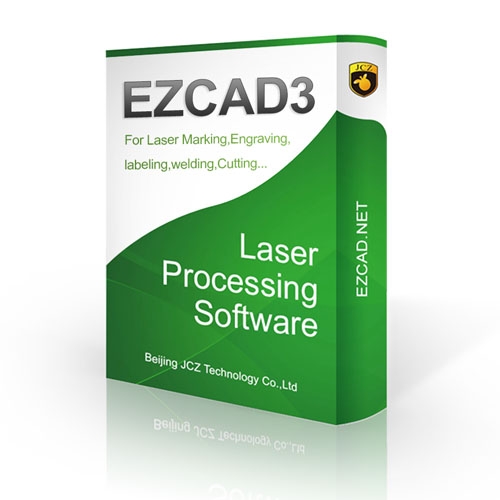
Laser marking technology has become an essential part of modern manufacturing, offering accurate, consistent, and professional marking results across different materials. To control laser marking equipment efficiently, reliable software is necessary. EZCAD3 is a professional laser control software designed to help operators manage marking processes, customize designs, and achieve precise results for industrial and commercial applications.
Whether you work with metal engraving, product identification, serial numbers, logos, or customized designs, understanding how this software works can help improve your production workflow.
What Is EZCAD3?
EZCAD3 is an advanced laser marking control program developed for compatible laser marking systems. It allows users to create, edit, and process marking designs through a computer-connected laser machine. The software is commonly associated with fiber laser marking equipment and compatible control systems.
It provides a working environment where operators can prepare text, graphics, barcodes, QR codes, and other marking elements before sending them to the laser machine. Its interface is designed to support different marking requirements, making it suitable for workshops, factories, and industrial production facilities.
Main Applications of EZCAD3 Software
One important reason manufacturers use EZCAD3 is its flexibility across different marking tasks. Businesses can use it for permanent product identification, decorative engraving, and customized industrial marking.
In metal processing, the software helps operators mark information on stainless steel, aluminum, brass, and other compatible materials. It is also useful for engraving company logos, manufacturing dates, product codes, and serial numbers.
Electronics manufacturers can use laser marking systems to identify components and add tracking information. Automotive suppliers may also use them to mark parts for identification and quality control. In addition, small businesses can use compatible laser machines for personalized gifts, nameplates, promotional products, and customized accessories.
How to Use EZCAD3
Getting started requires a compatible laser marking machine, supported control hardware, and a properly configured computer. Before operating the software, users should confirm that their laser controller and installation package are compatible.
The general workflow begins by opening the software and creating a new design. Operators can add text, import graphics, arrange objects, and adjust their positions according to the marking area.
After preparing the design, the next step is configuring the marking parameters. These may include laser power, marking speed, frequency, and other settings supported by the machine. The correct values depend on the laser source, material, and desired marking result.
Before starting full production, operators should perform a test marking on a sample material. This helps verify the design position, marking quality, and parameter settings.
System Compatibility and Installation
Before installing EZCAD3, check the specifications of your laser marking machine and its control board. Different software versions may support different controllers, devices, and operating environments.
Always obtain the installation files from your machine manufacturer or an authorized supplier. Avoid unofficial downloads because incorrect or modified software packages may cause installation problems, compatibility issues, or security risks.
Users should also install the required drivers and follow the manufacturer's setup instructions. Proper configuration helps establish communication between the computer and laser marking equipment.
Tips for Better Laser Marking Results
Achieving consistent marking quality requires more than preparing a good design. Operators should select suitable settings according to the material and application. Maintaining the correct focus distance is also important for producing clear and accurate marks.
Keep the marking surface clean before processing, check the design dimensions, and inspect test samples before starting large production batches. Regular maintenance of the laser machine and its optical components can also help maintain stable performance.
For businesses investing in laser marking equipment, choosing compatible software and receiving proper technical support can make daily operations easier.
Final Thoughts
EZCAD3 plays an important role in controlling compatible laser marking systems and managing different engraving and identification tasks. From creating simple text designs to preparing detailed industrial markings, it provides a practical working environment for professional users.
Before purchasing or installing the software, verify controller compatibility, licensing requirements, and machine specifications. With the correct configuration and operating knowledge, businesses can establish a reliable laser marking workflow and produce professional results across a wide range of applications.

 English
 Arabic
 French
 Spanish
 Portuguese
 Deutsch
 Turkish
 Dutch
 Italiano
 Russian
 Romaian
 Greek